


How to Optimize Youtube Channels to Have Many Viewers and Subscribers in Building Your Brand
Youtube is an important channel to be looked at as a promotional media. Capturing viewers or subscribers to your Youtube Channel is not easy. It's not just a matter of uploading then being published, but there are special tips to make video content in the top search. What should you do to make it easy for YouTube users to find?
Here are some tips on what to do
Video Quality
Quality of your video is the most important thing it makes viewers feel at home watching your video. If the concept of your video is interesting but doesn't have many viewers, it could be because the quality of the video you uploaded is too small, so the resulting image looks choppy.
In conceptual quality, try to make the video that you display your original video. It also helps maintain the credibility of your brand as a trusted brand. Don't forget to display content that matches your brand persona.
Use the appropriate keywords
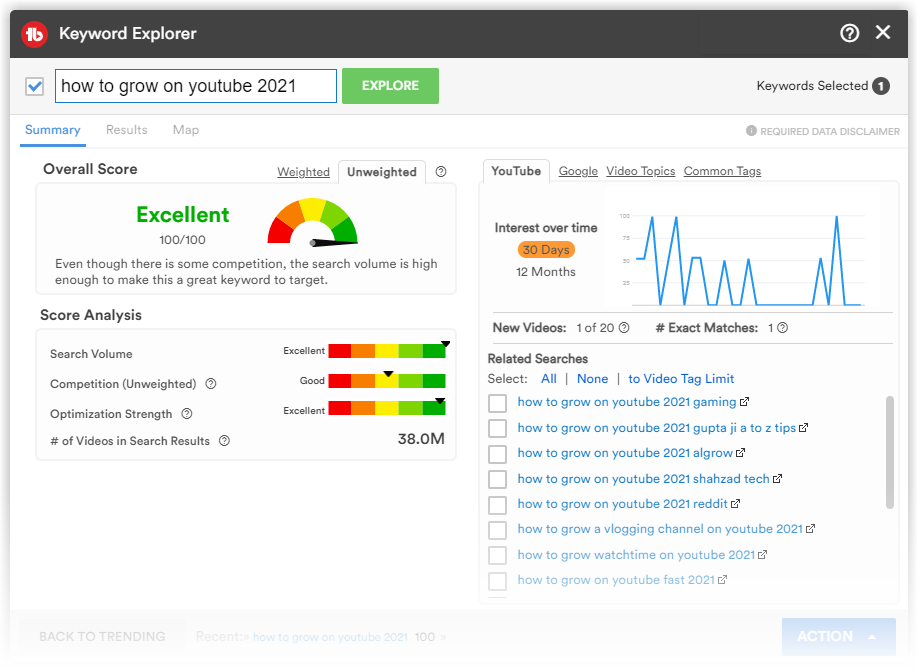
Just like creating a blog, when you want to create video content, then you have to know certain keywords you want to discuss. Start by searching for popular related keywords on Tubebuddy Keyword explorer, then enter keywords that match your video content. click the image below to get access to their free tools and if you want them to help reach your dream having a lot of subscribers
Optimized Title and Description
The tip is that besides writing keywords in the title section, you must also put the keywords that you want to optimize in the first two sentences of the video. Google's subordinate YouTube search engine algorithm indexes based on meta pages. But don't write it over and over again too often, because it won't help to optimize the YouTube videos you make.
Rank Higher in Search Results
Attractive Video Thumbnails
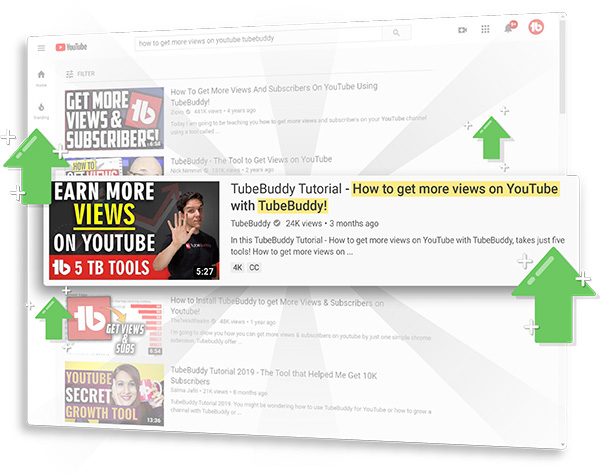
Use an attractive thumbnail or cover video so that it can be easily read by video seekers on YouTube. Use language that is inviting or intriguing so that users will want to glance at your video. Be careful in making thumbnails, the words used as a cover must be connected to the video you are making. Don't let viewers feel cheated and leave bad responses on your YouTube videos and channel.
Use YouTube Cards
YouTube provides additional features for channels that have long viewing hours, namely YouTube Cards. Where the owner of the video channel can put certain links that can be clicked by the audience on the video.
Well, usually if you pay attention to several large YouTube channels, they like to put recommended video links that are recommended to be seen next, links to subscribe invitations or provide links to go to an online store or website. In the video analytics provided, YouTuber can see in the minute how many people stop watching. Because YouTube prefers users to watch longer because it can display advertisements, then you can take advantage of these cards at these points to keep users watching your other videos.
Take advantage of the Video Playlist Feature
When your video has finished watching, YouTube will usually display a list of recommended videos that the user can watch next. It could be your own, it could be from another channel. To make users feel at home with your video content, one of them is by creating a video playlist. Many people don't know that there is a way to trigger a playlist via a link. This method can be integrated on YouTube cards or put the link in the video description.
Invite Users to Leave Comments
Try in the video that you produce to encourage users to leave comments in the comments column. Your content should have an impulsive effect on users to get them to volunteer to leave comments without asking. With high engagement with your video content, YouTube will think that your video is popular and slowly increase it to reach the top searches.
Enabling the Related Channel Feature
One of the biggest mistakes that Youtube channels make is turning off the “related channels” feature which functions to display channels that are similar to your channel.
Of course, the reason most heard is not wanting competitors' channels to appear in the same column. Even though by turning off this feature, you are also eliminated from YouTube recommendations on other channels. This means you lose the network effects provided by YouTube.
Enter the Video Tag with Keywords
When you upload your video on YouTube, there is a tag column that you can fill in with key words. This will help optimize the video in the YouTube video search algorithm. Fill in keywords that match your video content so that viewers who access your video match your target market.
Upload to Various Social Media
Use a comprehensive campaign by uploading youtube video content or including your youtube video link on your brand's social media. That way it will help facilitate the distribution of your video content and automatically increase the number of viewers on your YouTube channel.
Why go through all these when you have Tubebuddy that can do all the above-mentioned steps for you.
Tubebuddy is a service that lets you significantly improve the way you post videos on YouTube. This service starts by connecting to your YouTube channel to gather information on the channel and its content. The significant part of the service comes with a browser add-on which is available for both Firefox and chrome. It adds a dashboard screen to the YouTube page that shows the live stats of the video. It's especially useful while posting videos; it helps you set the title, description, taglines, keywords etc. to improve the search engine visibility of your video. One of the primary tools in the service is the ability of the software to find relevant keyword based on the primary keyword which I find useful quite too often. the service can be used for free with limited features and if you need more insights you can upgrade to some higher plans. the service lets you use the pro features at a cheap rate if you're a new channel thus help you start off.
Access Tubebuddy and become a successful YouTuber.
If you are looking for an influential platform for your YouTube channel, TubeBuddy is the best platform on the market. This platform is designed for owners of multiple YouTube channels. This innovative YouTube monetization tool loads onto YouTube's main page. You can clearly see what's on the page and what can be changed.
The TubeBuddy platform is built for brands, creators, different agencies, and different networks. Those engaged in any of these terms can use this monetization platform to track and grow their online presence and business.
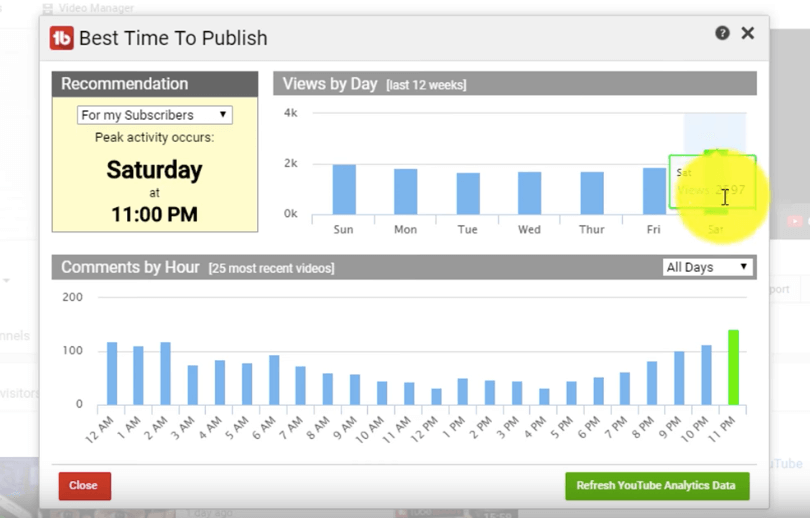
They recently introduced a standalone add-on for Chrome users. If you are working in Google's Chrome web browser, you can get TubeBuddy's add-on for free. You don't have to pay a dime. Get this add-on for free and test how this TubeBuddy works.
TubeBuddy is free to use with limited features and features. If you want a complete premium version with advanced features, a premium version is also available. There are different price segments available for different users, and you can choose the perfect premium plan based on your channel needs.
Subscribe by Email
Follow Updates Articles from This Blog via Email

No Comments